Screenshots
Current SafireIDE examples.
These screenshots show examples of the current Safire system direction: a Windows desktop IDE focused on forms, dictionaries, source, events, properties, output, and AI assistance.

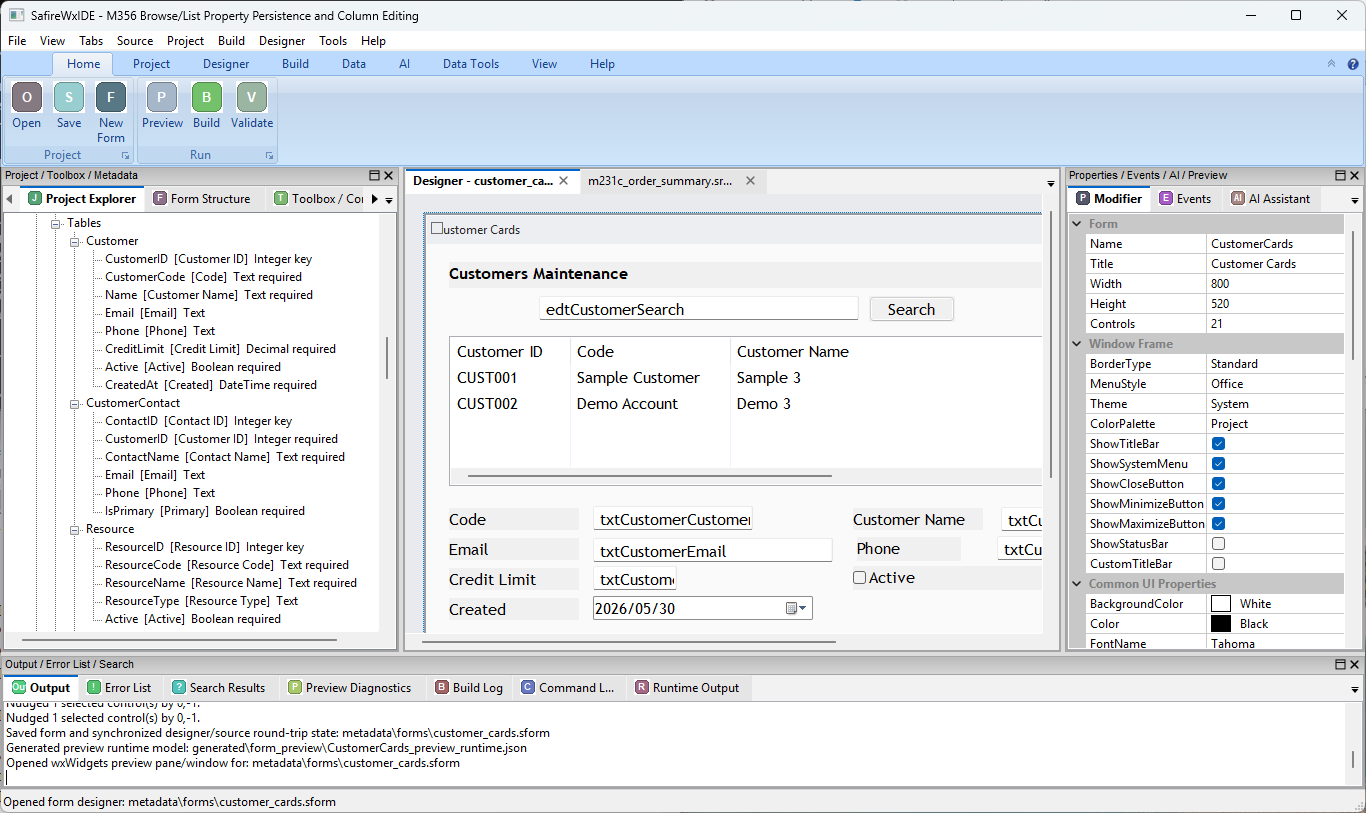
Customer maintenance form, project explorer, property grid, and output pads in SafireIDE.

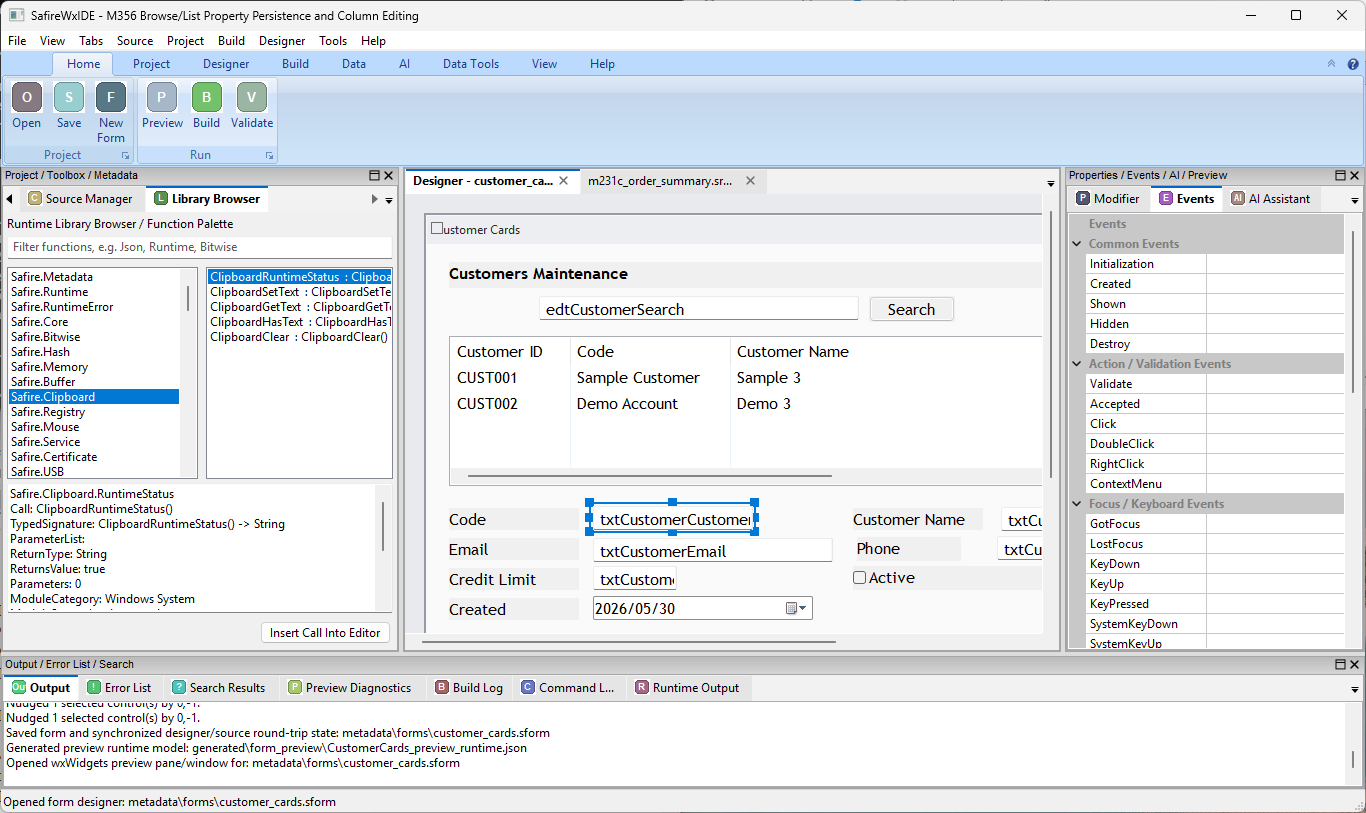
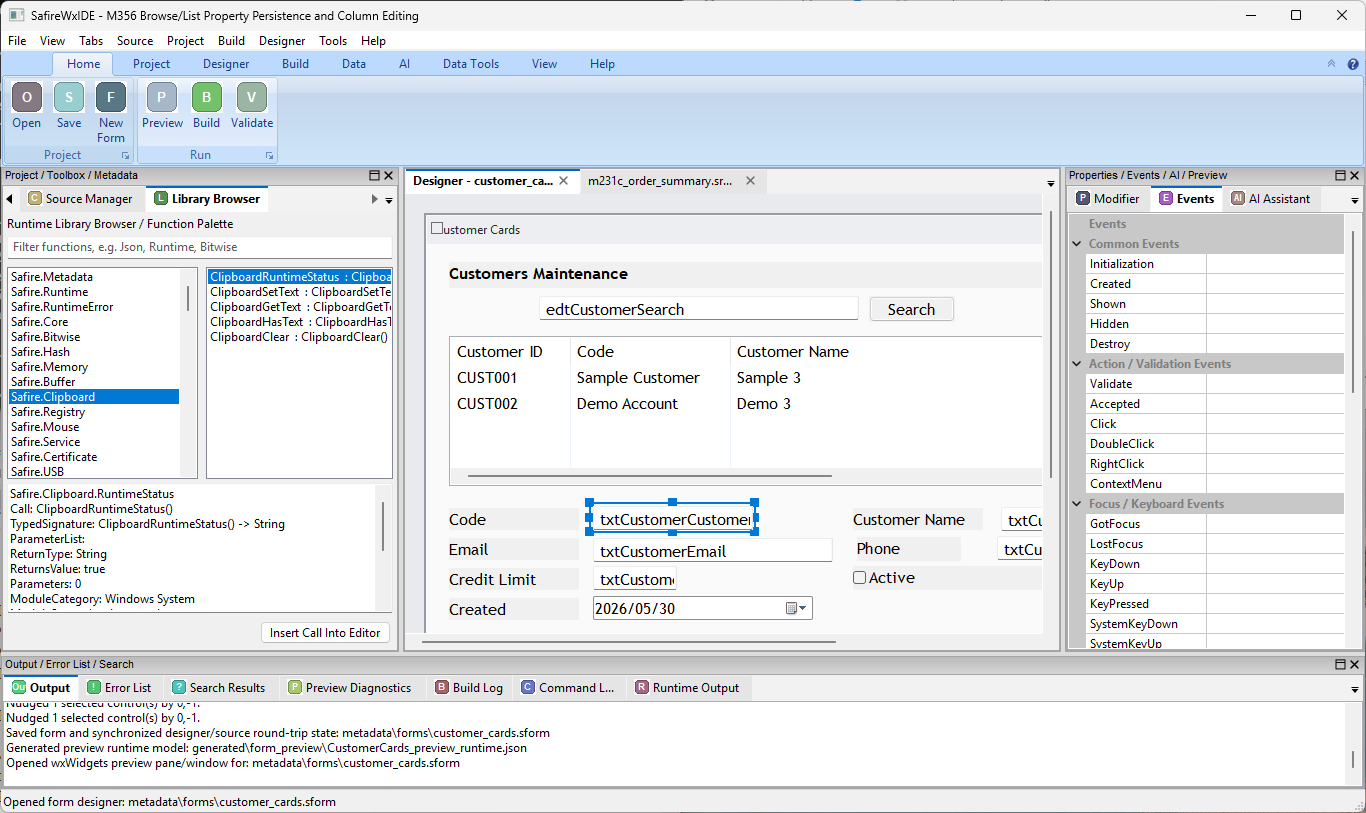
Runtime library browser and event panel beside a source-backed customer form.

Selected edit control with library browser, events, and designer surface visible together.

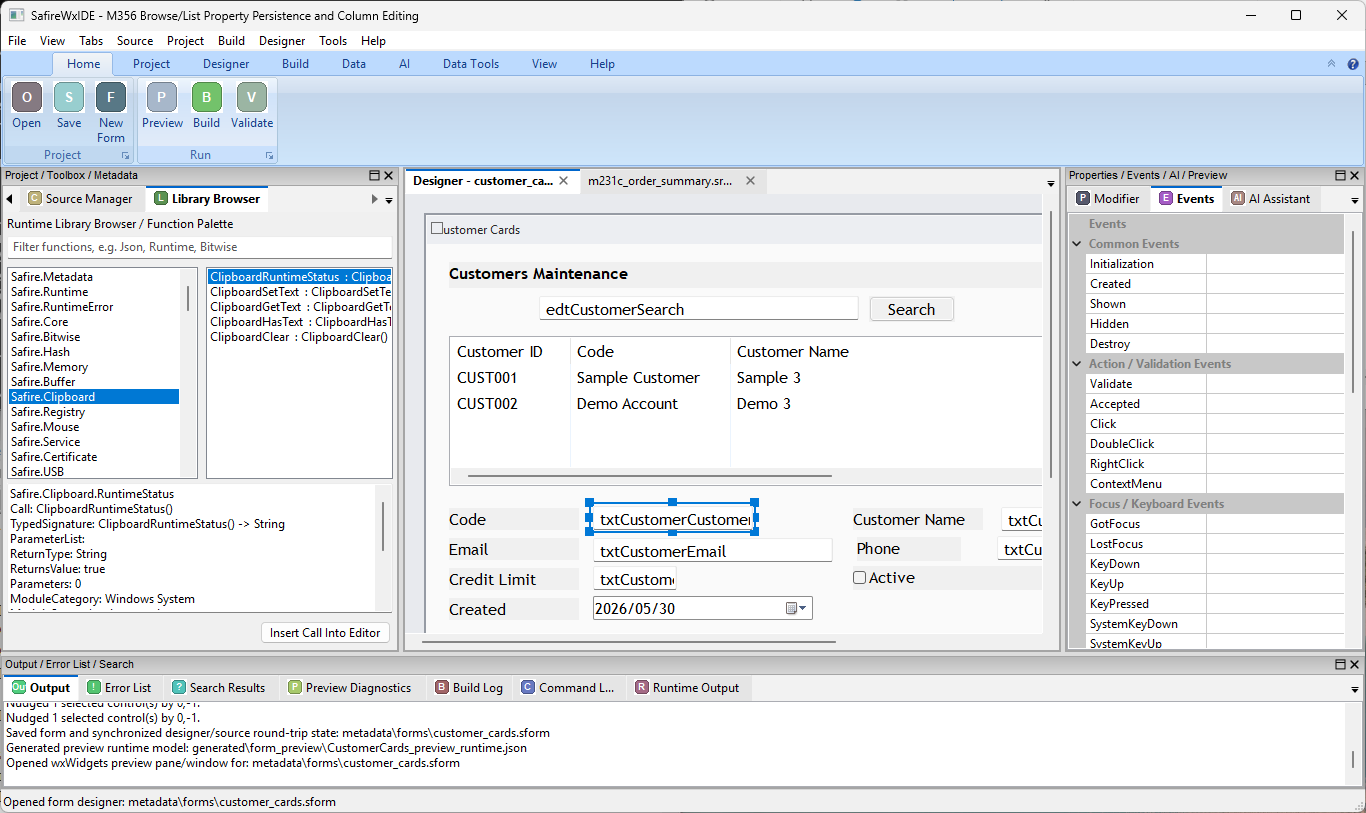
Designer, library browser, event categories, and output pad in one workbench.

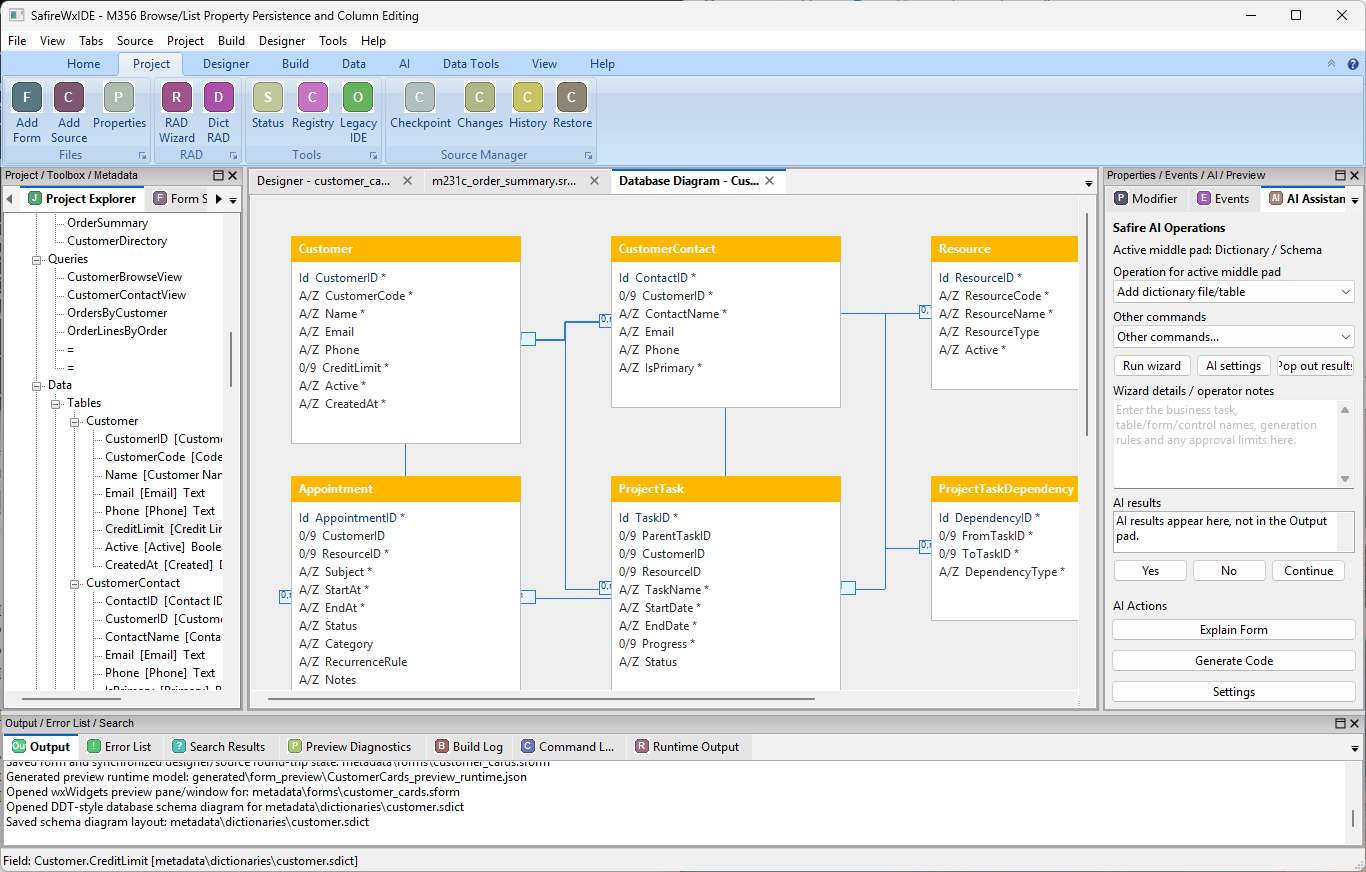
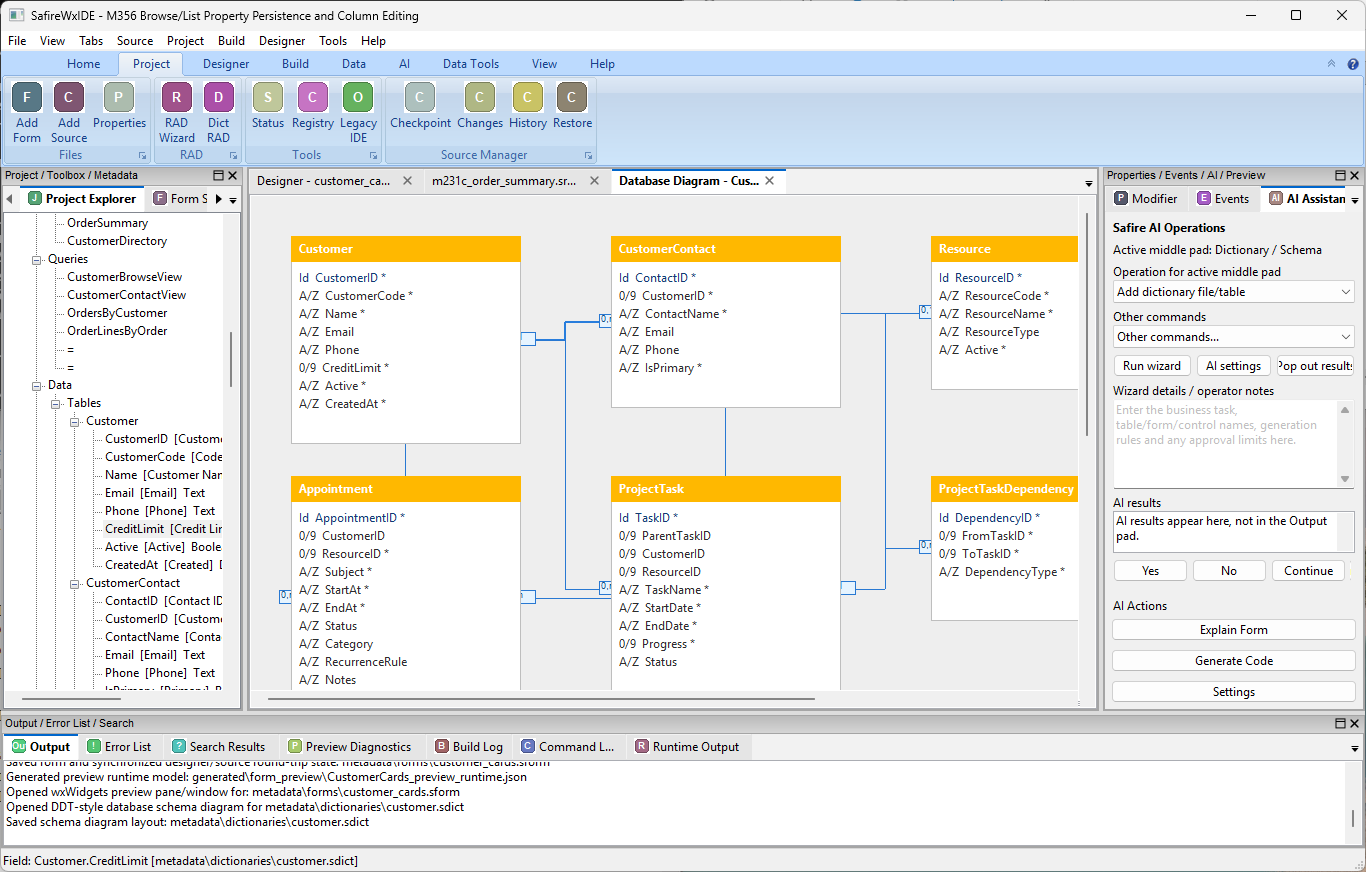
Dictionary schema diagram, project explorer, AI operations, and output evidence.

Database tables, relationships, source tree, and AI operations panel in SafireIDE.
What to look for
- Project explorer organized around tables, queries and business artifacts.
- Source-backed customer maintenance form.
- Separate properties and events pads.
- Runtime library browser for insertable functions.
- Dictionary schema diagram with relationships.
- AI operations pad with controlled commands.
Development status
The screenshots are not marketing mockups. They are product review examples from the current development build direction and show the IDE workflow Safire is being shaped around.