
Build complete business software. Stay in control.
Safire is a developer-led full-stack development environment for building, understanding, testing, managing and maintaining serious business applications.
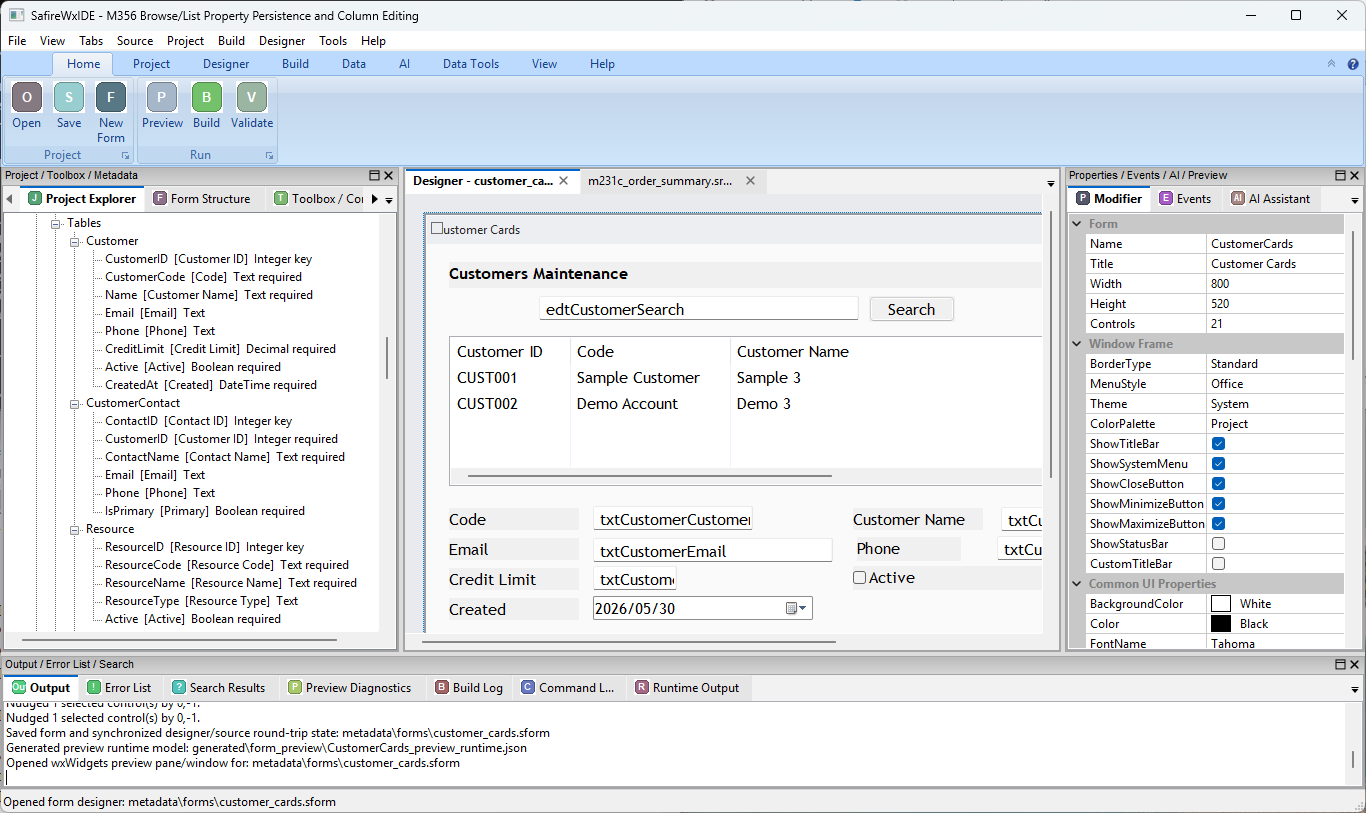
The complete development lifecycle.
Design, develop, work with data, test, review, deploy and maintain without rebuilding the application context in a collection of unrelated tools.
The development environment should understand the application as a whole.
Traditional tools are powerful, but each usually understands only part of the system. Safire is being built around one coherent application model connecting source, data, UI, tests, history and delivery.
An IDE that understands your application — not just your files.
Work visually most of the day while keeping the source and application model explicit, inspectable and versionable.
- Navigate between data, code, windows, controls, events and tests.
- Use visual designers without creating a hidden parallel application.
- Open the source whenever you need precise control.
- Give AI the real project context instead of re-explaining the system in every prompt.
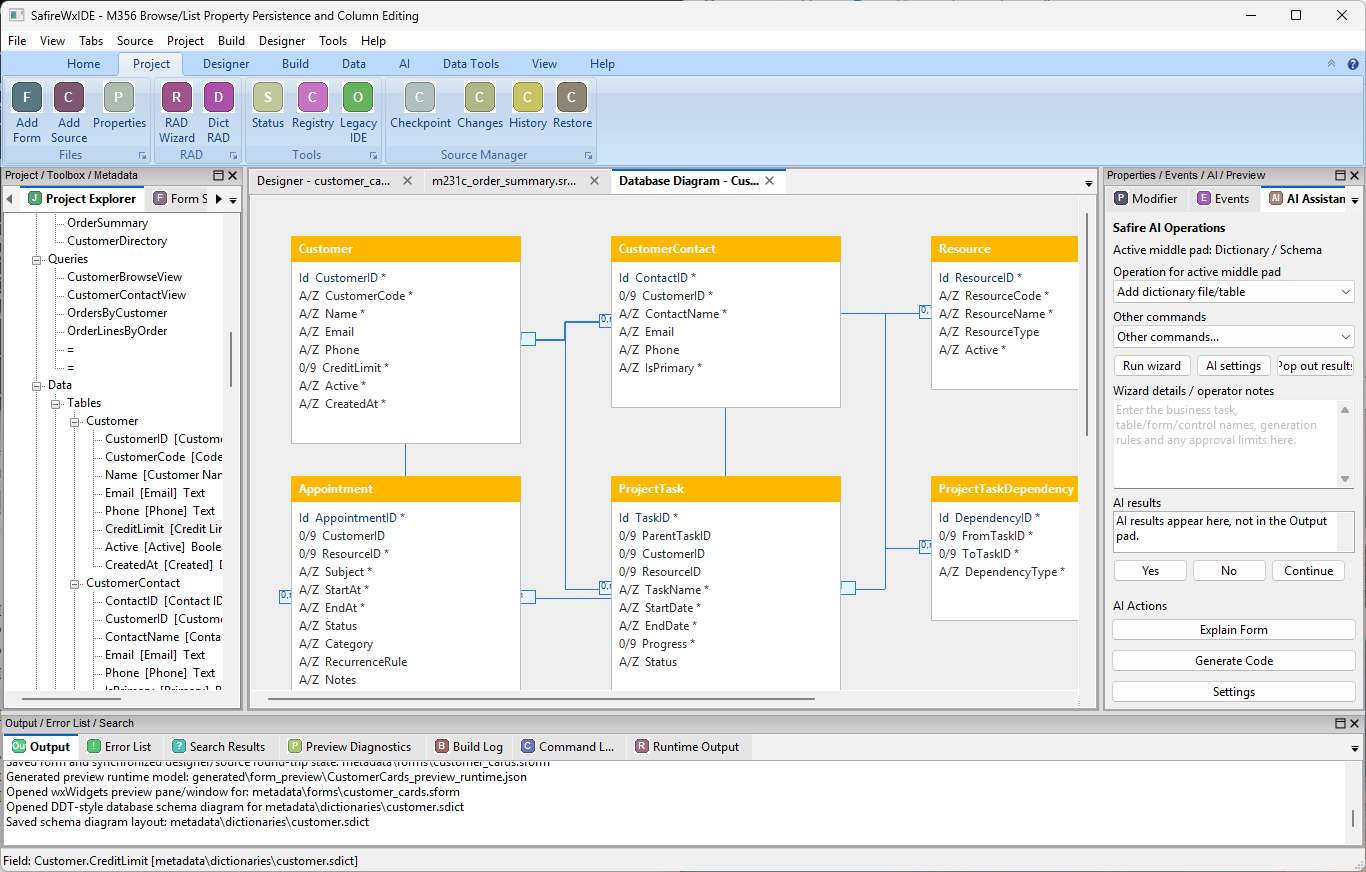
Developer-led by design.
Safire is not low-code, not an autonomous AI application generator and not just another language editor.
IDE-first workflow
The IDE is the normal working surface, with source always available underneath.
Source-owned
Designer actions and AI changes remain tied to readable, reviewable source and metadata.
AI-assisted
AI can explain, design, modify, test and diagnose — but remains optional and controlled.
Business-first
Data binding, forms, Browse/Grid, reports and business rules are platform concepts.
Full stack
Desktop, database, services, web, reports, testing and deployment belong together.
Lifecycle-aware
Connect the work from requirement and task through tests, Vault, release and deployment.
AI works for the developer.
Safire AI is being designed as a first-class platform service, not a chatbot bolted onto an editor.
Developer:
Add CreditLimit to Customer and
update the maintenance workflow.

Safire context:
Customer table
Customer business object
CustomerMaintenance window
OrderApproval rules
Affected tests

Proposed change set
1. Schema + migration
2. Business property
3. CurrencyEntry + binding
4. Validation
5. Tests

Developer approval required
From database to desktop to service.
Safire is being built for developers who cross the entire stack of a business system.
Data
Tables, relations, queries, transactions, migrations and SQL tooling.
Desktop RAD
Windows, controls, binding, validation, Browse/Grid, reports and visual design.
Services & Web
Application services, APIs, WAS and web-facing delivery.
Test & Deliver
Build, test, package, diagnose and deploy from the same project.
Understand before you change.
A small business change can cross source, schema, bindings, reports, APIs and tests. Safire should make that impact visible before it becomes a surprise.
37  source references
 5  database references
 6  bindings
 4  queries
 3  reports
 2  API contracts
 9  affected tests
 1  compatibility warning

Migration required: YES
Real development builds, not stock artwork.
The screenshots below are from SafireIDE development builds. The interface is evolving while the underlying platform is developed.
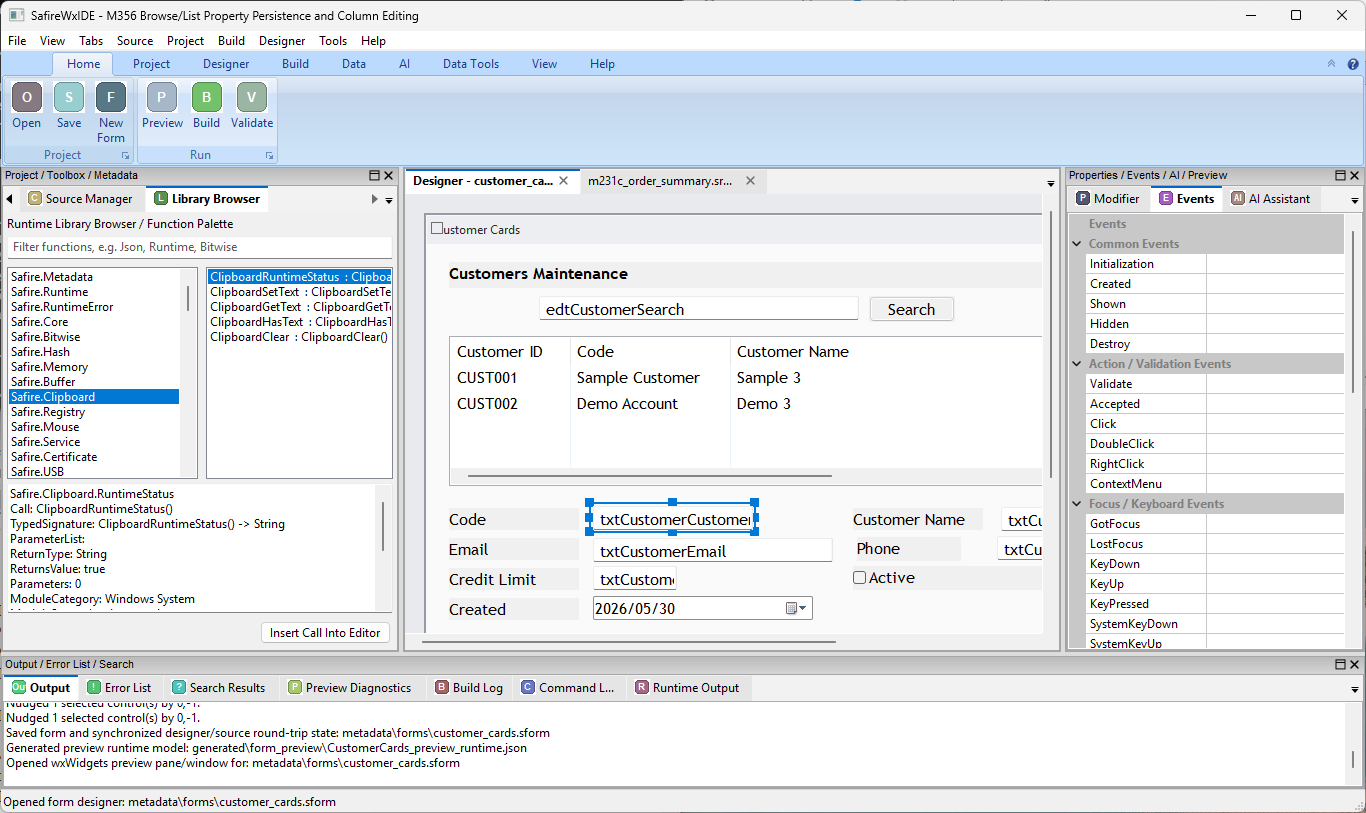
Safire is under active development.
We prefer to show the real state of the platform rather than present planned features as already complete.
Visual designer, source model, event editing and professional developer workflow.
Windows x64 first, wxWidgets underneath Safire-owned public semantics.
Project-aware data model and SQL Manager direction.
Source history, team identity, permissions and collaboration foundations.
Optional project-aware AI services with explicit permissions and approvals.
Safire web hosting and service platform development.
Build complete business software. Stay in control.
Follow Safire as the language, IDE, data platform, Vault, web stack and AI integration are developed into one coherent environment.